
Few things spike a solar owner’s heart rate like opening the app to find zero production and a red error code. The good news: most inverter errors are communication glitches, tripped breakers, or grid hiccups, not dead equipment. This guide walks through the safe first steps for SolarEdge, Enphase, and string inverter systems, explains what the common warnings actually mean, and tells you exactly when to stop troubleshooting and call a professional.
- Most inverter errors are minor: tripped breakers, lost Wi-Fi, or brief grid disturbances cause the majority of alerts.
- Never open the inverter or touch DC wiring; the safe homeowner checks are all external.
- A proper power-cycle (AC off, DC off, wait, reverse) clears many SolarEdge and string inverter faults.
- Enphase microinverter issues usually show as one panel underperforming rather than a whole-system error.
- Repeated faults, burning smells, or visible damage mean stop and call your installer immediately.
Safety First: What Not to Touch
Before anything else, understand what is dangerous. A rooftop solar array produces high-voltage direct current whenever light hits the panels, and DC does not cycle the way AC does, which makes it harder to let go of and more likely to sustain an arc. The DC side of a string inverter system can run at several hundred volts even with the AC breaker off. This is not a scare tactic; it is the reason every legitimate guide draws a hard line here.
Your safe zone is everything outside the equipment: breakers in your electrical panel, the monitoring app, the inverter’s display screen, and visual inspection from a distance. Never remove the inverter cover, never disconnect MC4 connectors under load, never open combiner boxes or disconnect switches beyond their normal on/off operation, and never work on the roof around the array during troubleshooting.
Stop immediately and call your installer if you notice a burning smell near the inverter, scorch marks, melted plastic, buzzing or crackling sounds, or any exposed or damaged wiring. These are rare, but they are the situations where minutes matter. For routine issues, the checks below are safe and often resolve the problem without a service visit.
The Safe First Checks
Start with the simplest explanations, which cover a surprising share of error reports. First, check your electrical panel for a tripped solar breaker. Solar breakers trip occasionally after grid disturbances or storms. If you find one tripped, you may reset it once; if it trips again, leave it off and call your installer, since repeated tripping signals a real fault.
Second, check whether the problem is the system or just the monitoring. Enphase and SolarEdge apps report “system offline” or zero production when the monitoring gateway loses its internet connection, even while the panels keep generating. If your gateway uses Wi-Fi, confirm your home network is up. A quick test: if it is sunny and your utility meter is spinning backward or your battery is charging, the system is producing and only the reporting is down.
Third, look at the inverter itself. Most string inverters have a small display or LED indicators: green or blue usually means producing, red or flashing red means a fault, and no lights at all suggests no power reaching the unit. Note exactly what you see, including any code numbers on the display, and take a photo. That photo is gold when you call for support. Our phone monitoring guide helps you interpret what the app is showing alongside the hardware.
How to Restart Your Inverter
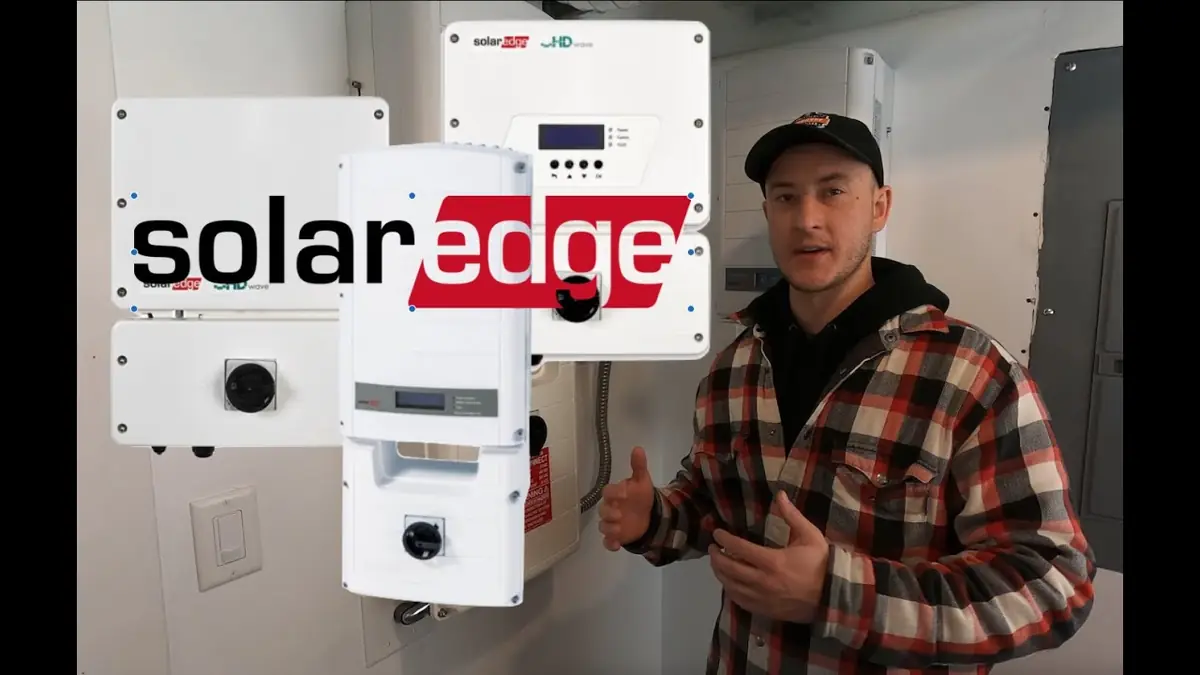
A proper power-cycle resolves many transient faults, the solar equivalent of rebooting a router. The order matters: turn things off in one sequence and back on in reverse. For a SolarEdge or standard string inverter, switch the AC breaker for the solar system to OFF, then switch the DC disconnect (usually a rotary switch on or near the inverter) to OFF. SolarEdge’s official support resources document model-specific variations of this procedure. Wait at least five minutes so all capacitors fully discharge. Then turn the DC disconnect back ON first, followed by the AC breaker. Give the inverter up to 15 minutes to run its startup checks and reconnect to the grid.
For Enphase systems, there is no single inverter to restart. If the whole system is down, power-cycle the Envoy/IQ Gateway the same way: turn off its breaker, wait a minute, and turn it back on. Individual underperforming panels point to single microinverters, which you cannot restart yourself; those need a warranty replacement through your installer.
Only power-cycle once. If the error returns after a clean restart, the fault is real and needs professional diagnosis. Repeated restarts will not fix a ground fault or a dying inverter, and they waste the diagnostic data your installer needs. Document the error code, the time it appeared, and the weather, then make the call.
What Common Errors Mean
Error codes look cryptic, but most fall into a handful of categories. The table below covers the common ones across brands in plain language. Exact code numbers vary by model and firmware, so match by description rather than memorizing numbers.
| What you see | What it usually means | Homeowner action |
|---|---|---|
| System offline / no communication | Monitoring gateway lost internet | Check Wi-Fi; power-cycle the gateway |
| Zero production, sunny day | Tripped breaker or inverter shutdown | Check breakers; try one restart |
| Grid voltage / frequency error | Utility power outside safe limits | Wait; inverter reconnects automatically |
| Ground fault / isolation error | Current leaking, often from damaged wiring | Do not reset repeatedly; call installer |
| Arc fault detected | Loose or damaged DC connection arcing | Call installer immediately |
| One panel far below the rest | Failed microinverter or optimizer | Document it; warranty claim via installer |
| Optimizer pairing / not detected | Communication lost with panel electronics | One restart; then call installer |
Grid-related errors deserve special mention because they are the most common and the least your fault. Inverters are required by safety standards to disconnect when grid voltage or frequency drifts outside tight limits, which happens during utility switching, storms, and local outages. EnergySage’s solar resources cover these utility-interaction behaviors well. The inverter waits, retests the grid for several minutes, and reconnects on its own.
SolarEdge vs Enphase vs String
The three common system types fail differently, and knowing yours focuses your troubleshooting. SolarEdge systems pair a central inverter with a power optimizer on every panel. Most SolarEdge errors appear on the inverter display or in the app as system-wide alerts, and the restart procedure above applies directly. Optimizer-level issues show as individual panels underperforming in the app’s layout view.
Enphase systems use a microinverter on each panel with no central inverter. Whole-system outages are rare and usually mean a breaker, gateway, or grid issue. The far more common Enphase service event is a single microinverter dying, which shows as one panel producing zero while neighbors are fine. Enphase microinverters carry 25-year warranties, so replacement is typically free, though your installer may charge a labor fee for the visit.
Older string inverter systems without panel-level electronics are the hardest to diagnose remotely, since the app shows only total output. A production drop with no error code on these systems often needs a technician with a multimeter and thermal camera to find the bad panel or connection. If you own one of these and it is underperforming, skip extended DIY diagnosis and book a service visit; it will be faster and safer.
When to Call Your Installer
Call after one clean restart fails to clear the error, or immediately for anything involving smells, sounds, scorch marks, or visible damage. Also call if the same error recurs within days, since intermittent faults are still faults. Have this information ready: the exact error message or code, when it first appeared, what the weather was doing, a photo of the inverter display, and screenshots from your monitoring app showing the production drop.
Know your warranty position before you call. Inverter equipment warranties run 10 to 25 years depending on brand and type, and your installer’s workmanship warranty covers installation-related faults for 10 to 25 years. A legitimate equipment failure should cost you nothing but possibly a labor fee. If your original installer is out of business, the equipment manufacturer can usually refer you to a certified local service partner.
Do not let a fault linger. Every day a system sits offline is lost production you cannot recover, and some faults, particularly ground and arc faults, are safety issues that deserve prompt attention. A same-week service call for an error code is entirely reasonable to request. Regular attention like this is part of sensible solar maintenance, and catching faults early is how systems reach the full lifespan described in how long solar panels last.
Why does my inverter show an error but the sun is shining?
Most errors are not about sunlight. Tripped breakers, lost monitoring connections, grid disturbances, and internal self-protection shutdowns all trigger alerts on sunny days. Work through the safe checks in this guide before assuming equipment failure.
Is it safe to reset my solar inverter myself?
Yes, a single power-cycle using the AC breaker and DC disconnect is safe and manufacturer-approved. Never open the inverter cover or touch internal components and wiring; high-voltage DC is present whenever panels see light.
How long should an inverter take to restart?
Allow up to 15 minutes after restoring power. The inverter runs self-tests and then monitors the grid for several minutes before reconnecting, which is required by safety standards.
What does a ground fault error mean?
It means the inverter detected current leaking where it should not, often from chewed, cracked, or water-damaged wiring. Do not repeatedly reset a ground fault; have an installer inspect the wiring.
My app says offline but the meter shows I am producing. What is wrong?
Almost certainly just the monitoring connection. The gateway likely lost Wi-Fi or cellular signal. Your system is fine; restore the gateway’s connection and historical data usually backfills.
Inverter acting up and need a pro?
Get free quotes from vetted local solar companies for service or a full system check.